


Amplified Bible offline
4.8459.00 Reviews
App Specs
- Version
- Amplified Bible Free OFFLINE 16.0
- Updated On
- License
- Free
- Downloads
- 100,000+
- Developer
- KJV Bible offline
- Categories
- Libraries & Demo
- Platform
- Android
Screenshots
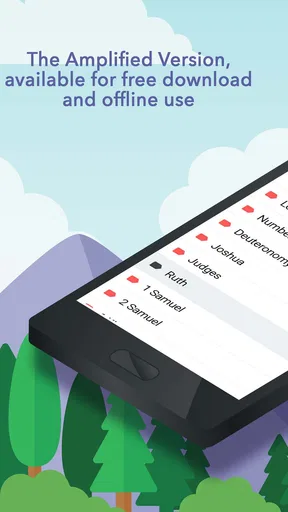
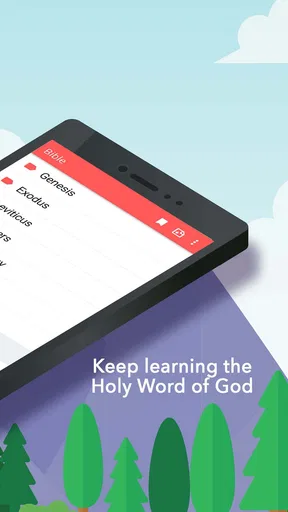
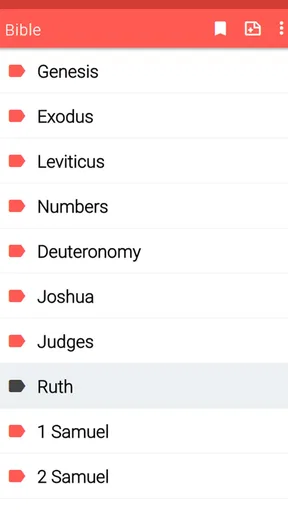
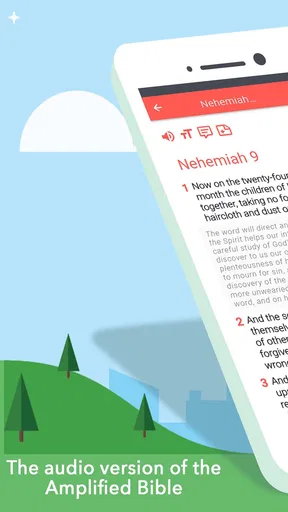


 Analysis by AppCompare
I can see why a household might keep a Bible app on a shared phone or tablet: it can make a quiet reading moment easy to fit between errands, travel, and family routines. Amplified Bible Offline is built around a specific benefit—reading scripture without needing an internet connection—so its appeal is less about social features and more about having a text ready when you want it. I found that distinction useful when thinking about who will get the most from it: readers who want a straightforward offline Bible, rather than a connected study platform with lots of extra tools.
A shared device changes the reading routine
On a shared device, the practical question is not only whether the app opens easily, but whether each person can use it without getting in another reader’s way. The simple layout helps here: someone who only wants to open a passage does not need to learn a complicated system first. A parent might read a chapter in the evening, then leave the device available for another household member to look up a verse later.
I would treat bookmarks and highlights as personal reading aids, not as a family coordination system. They can help one reader return to a passage, but I would not assume they create separate profiles or keep one person’s notes apart from another’s. If several people share the same installation, agree on whether saved items are meant to be communal or personal. That small conversation can prevent confusion later, especially when a bookmark has no obvious owner.
Set expectations before handing over the device
The offline text is useful when Wi-Fi is unavailable, but offline access should not be confused with account separation or device privacy. If the device belongs to a household, use its ordinary screen lock and user-account arrangements where available, rather than expecting the Bible app to manage who can open it. That is a sensible boundary for any shared reading app, and it matters most when a device is passed between adults and children.
For a calm reading session, I’d also set up the device before handing it over: open the app, choose a comfortable text size, and show the next reader how to move between books and chapters. This avoids turning a quiet moment into a search for the right controls. It is a practical workaround for a simple interface, not a claim that the app remembers different people’s preferences.
Coordination without assuming family tools
Households often want to read the same passage together, but this app is best approached as an individual reading tool rather than a shared plan or group study space. A straightforward way to coordinate is to agree on a book, chapter, and verse outside the app, then have everyone open that reference on their own device or take turns using the household one. Search can help when somebody remembers a phrase but not its location; checking the surrounding passage afterward is a useful habit because a search result alone may not provide the context a group discussion needs.
Bookmarks can also support a simple routine: one person can save a passage they want to revisit, then tell the others its reference in conversation. I would avoid relying on a saved mark as a message to the rest of the household, since a bookmark is not the same thing as a shared note or reminder. That distinction makes the app easier to use honestly: it supports returning to text, while the family handles scheduling and discussion in the way that already works for them.
Worth Reading Before You Choose

Flipboard Shows What News Apps Must Do Beyond the Feed

Switching to Android Auto Means Rethinking Your Driving Routine

Google Calendar Makes a Crowded Week Easier to Manage

Ludo King Makes the Most of the Minutes Between Plans

Baby Panda World Brings Quick Play to Modern Phones, but Its Game Library Feels Busy

ESPN’s Live Game View Makes Following Close Games Easier
Age, trust, and the kind of reading it supports
The app is rated for Everyone, which makes it suitable for a broad audience, but an age rating does not replace a parent’s judgment about how a child uses a phone. Younger readers may benefit from an adult helping them find a passage and talk through unfamiliar wording. The Amplified translation expands phrases and meanings, which can make some passages more approachable, but it can also raise questions that are best handled through conversation rather than treated as a substitute for guidance.
For an adult new to Bible reading, the same expanded wording can be a helpful entry point: it gives more to consider within the text itself, without requiring a separate commentary for every question. Still, readers who want close comparison among translations, extensive scholarly notes, or a structured course may be better served by a dedicated study resource. I see this app as a convenient reading companion, not a complete replacement for every kind of biblical reference.
First Impressions Count
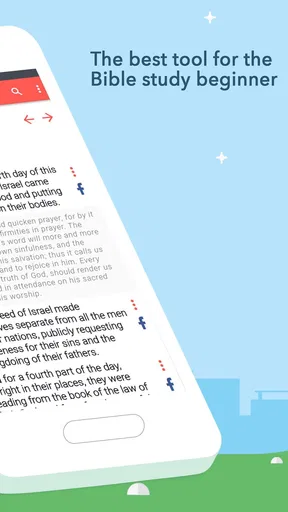
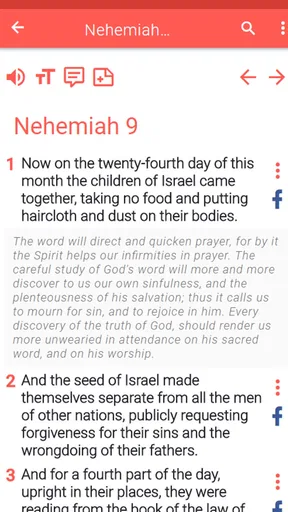
When I first launched the Amplified Bible Offline, I was greeted by a clean, user-friendly interface. No clutter, just a straightforward experience that makes it easy to navigate through the Bible. The app is designed with simplicity in mind, ensuring that even those who are not tech-savvy can find their way around without a hitch.
Features That Stand Out
One of the standout features of this app is, as the name suggests, its offline capability. You can access the full text of the Bible without any internet connection. This is perfect for those moments when you find yourself in a remote area or simply want to disconnect from the digital world while staying spiritually connected.
The app offers more than just offline reading. It includes a search function that’s incredibly handy when you’re trying to locate a specific verse or topic. There’s also a bookmarking feature, which allows you to save your favorite scriptures and come back to them anytime. Trust me, it’s a lifesaver when you want to revisit a particular passage without scrolling endlessly.
Reading Experience
Reading on the app is a breeze. The text is clear, and you can adjust the font size to suit your preference, which is great for late-night reading sessions. The amplified translation offers expanded meanings and explanations, making it an ideal choice for those who want to dive deeper into the text without needing a separate commentary.
Another feature I found useful is the ability to switch between day and night modes. This is a small but thoughtful addition that makes reading comfortable no matter the lighting conditions. Plus, with the highlight function, you can easily mark verses that resonate with you.
Let’s Talk Usability
Usability is where this app truly shines. With its intuitive design, you can easily navigate between books, chapters, and verses. The layout is simple, with everything you need just a tap away. If you’re like me and sometimes get lost in the sea of scripture, the app’s organized structure is a godsend.
The app also supports multiple languages, which is a fantastic feature for non-English speakers or those who want to explore the Bible in other tongues. It’s like having a multilingual Bible right in your pocket.
Choosing it over other Bible apps
In the wider Libraries & Demo category, Bible apps can range from bare-bones digital texts to connected libraries with reading plans, commentary, audio, and community features. This one makes more sense when the priority is access to the Amplified text offline and a simple route back to a passage. Someone who mainly reads on a commute, travels where coverage is unreliable, or prefers to avoid opening a browser will likely appreciate that focused approach.
The trade-off is that readers who want many translations side by side, elaborate study notes, or tools for coordinating a group may prefer a broader Bible platform or a print study Bible. A print edition also avoids screen distractions and sharing complications, though it is less convenient to carry everywhere. I would choose this app for quick lookup and personal reading, and a more specialized resource when preparing a detailed lesson or comparing interpretations.
Everyday use and a few useful habits
Picture a reader who has ten minutes before leaving home and wants to return to a bookmarked passage, then later loses internet access during a journey. The offline design means the reading itself does not depend on a connection, while the bookmark avoids retracing the route through the books. A practical habit is to save a verse together with its book and chapter reference in your own notes if you need to discuss it with someone else; that reference is easier to share than an assumption that another person can see your saved items.
Search works best when you have a distinctive word or a clear reference in mind. If the search phrase is broad, use the result as a starting point and read the surrounding verses rather than treating the hit as a complete answer. For personal study, I’d highlight sparingly and use bookmarks for passages I genuinely plan to revisit. This keeps saved material useful instead of turning it into a crowded collection that is hard to navigate.
Cost, access, and who should look elsewhere
The app is free to install, with optional in-app purchases listed at $0.99 per item. Its current version is Amplified Bible Free OFFLINE 13.0, and it requires Android 6.0 or later. The developer is KJV Bible offline. It has an average rating of 4.8 from around 11 thousand ratings, with 455 written reviews and over 100 thousand installs. It was released on March 9, 2018. Those figures suggest that many people have tried it, but they do not tell me whether its particular reading style suits you; the expanded wording is the more important choice to consider.
I’d recommend it to someone who wants the Amplified Bible close at hand, values offline reading, and prefers uncomplicated navigation over a feature-heavy study workspace. I would hesitate to recommend it as the household’s only Bible resource if different readers need clearly separated notes, coordinated reading plans, or extensive reference material. Likewise, a reader who wants a translation with a more concise style may find the amplified wording less comfortable for uninterrupted reading.
Final Thoughts
In a world where we’re constantly bombarded by notifications and distractions, the Amplified Bible Offline offers a peaceful retreat into the Word of God. Its offline capabilities, user-friendly design, and rich features make it a must-have for anyone looking to enhance their spiritual journey.
Whether you’re a seasoned Bible reader or just starting, this app offers something for everyone. With its comprehensive approach to scripture and the added convenience of offline access, it’s an app that truly lives up to its name. So, if you’re on the hunt for a reliable Bible app that won’t leave you hanging when the Wi-Fi does, give the Amplified Bible Offline a try. It just might become your new favorite digital companion.
My household verdict
For a household, I see this as a convenient shared-device option when expectations are clear: use it to open and read the text, but rely on the device’s own user arrangements and ordinary conversation for privacy and coordination. The combination of offline reading, search, bookmarks, adjustable text, and day or night viewing gives different readers a practical starting point without making the app feel like a complicated study system.
Its limits are also easy to understand. It does not need to be the answer for every person in the home, especially if someone needs a different translation, deeper study references, or personal organization that stays separate from other readers. At no cost to install, it is a low-friction way to try this particular reading style; optional purchases are available, so check the in-app choices before buying anything. If that balance matches your household, I’d keep it within reach for quiet reading and quick verse lookups, while choosing another resource when the goal is more structured study.
Pros
- Access Bible without internet.
- User-friendly interface design.
- Includes various study tools.
- Search function is efficient.
- Text customization options available.
Cons
- Limited translations offered.
- Ads can be intrusive.
- Audio features are missing.
- No cloud sync for notes.
- Resource-heavy on older devices.
FAQs for Amplified Bible offline
What features does the Amplified Bible Offline app offer?
The Amplified Bible Offline app provides users with a comprehensive Bible reading experience without needing an internet connection. It includes features such as daily devotionals, bookmarks, note-taking capabilities, and audio options for those who prefer listening. Additionally, users can customize their reading experience with adjustable font sizes and themes.
Is the Amplified Bible Offline app truly free to use?
Yes, the Amplified Bible Offline app is free to download and use. However, it may offer in-app purchases or ads to support its development. These purchases typically unlock additional features or remove ads, enhancing the overall user experience without requiring any ongoing subscription.
Can I use the Amplified Bible Offline app across multiple devices?
The app is designed to work on both Android and iOS platforms, allowing users to install it on multiple devices. However, syncing data across devices might require an account or cloud service. It’s advisable to check if the app supports cross-device synchronization for bookmarks and notes.
How user-friendly is the Amplified Bible Offline app for beginners?
The Amplified Bible Offline app is designed with a user-friendly interface that caters to both beginners and experienced users. Its intuitive navigation makes it easy to search for specific passages, while the available tutorials and help sections guide new users through the app’s features, ensuring a smooth learning curve.
Does the Amplified Bible Offline app support multiple translations?
While the primary focus of the app is the Amplified Bible translation, it may offer additional translations to enhance study and comparison. Users should check the app’s description or settings to confirm the availability of other translations, which can be useful for those who prefer reading in different versions for a broader understanding.


